

Proxy
How it works
- Domain and TLS — as in any project: an A record pointing to the IP from the "Domain and TLS" block, a Let's Encrypt, custom or wildcard certificate, the "HTTPS only" switch (domain and HTTPS).
- Requests are passed by the panel's proxy to the upstream address together with the headers
X-Forwarded-ForandX-Real-IP(the visitor's address),X-Forwarded-Proto(httpsorhttp),X-Forwarded-Host(your domain) andVia. If the domain goes through Cloudflare,X-Real-IPcontains the visitor's real address, not Cloudflare's, andX-Forwarded-Forstarts with it as well. - WebSocket passes through without extra settings.
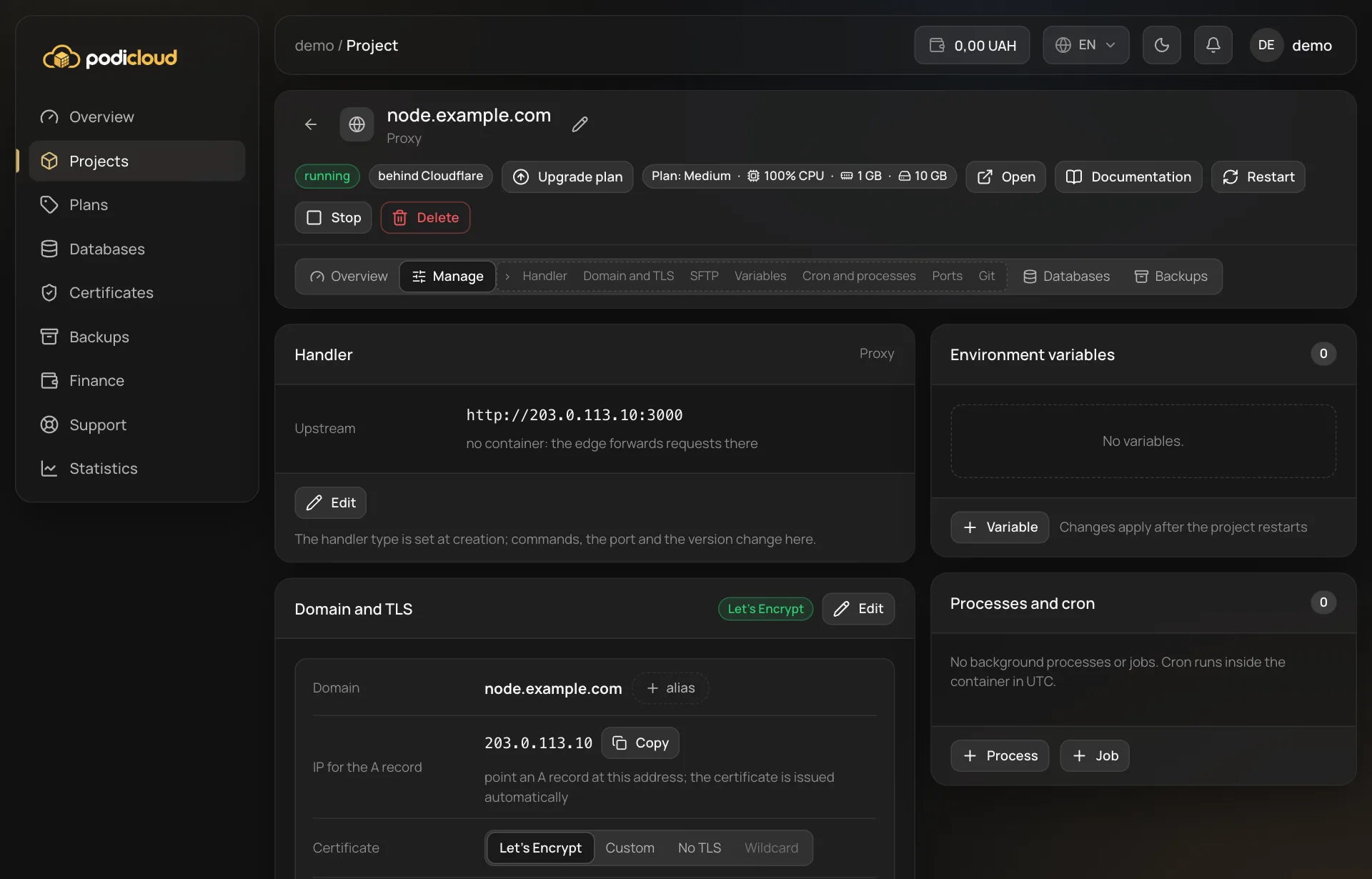
- What is missing. Without a container there are no "Logs", "Terminal" and "Files" tabs, and no "Ports" and "Git deploy" blocks. The "Environment variables" and "Processes and cron" blocks are visible, but they have no effect on a proxy. The project directory, SFTP and backups remain.
1. Create a project
In the wizard (how to create a project), choose the Proxy tile. The only field is the Upstream address:
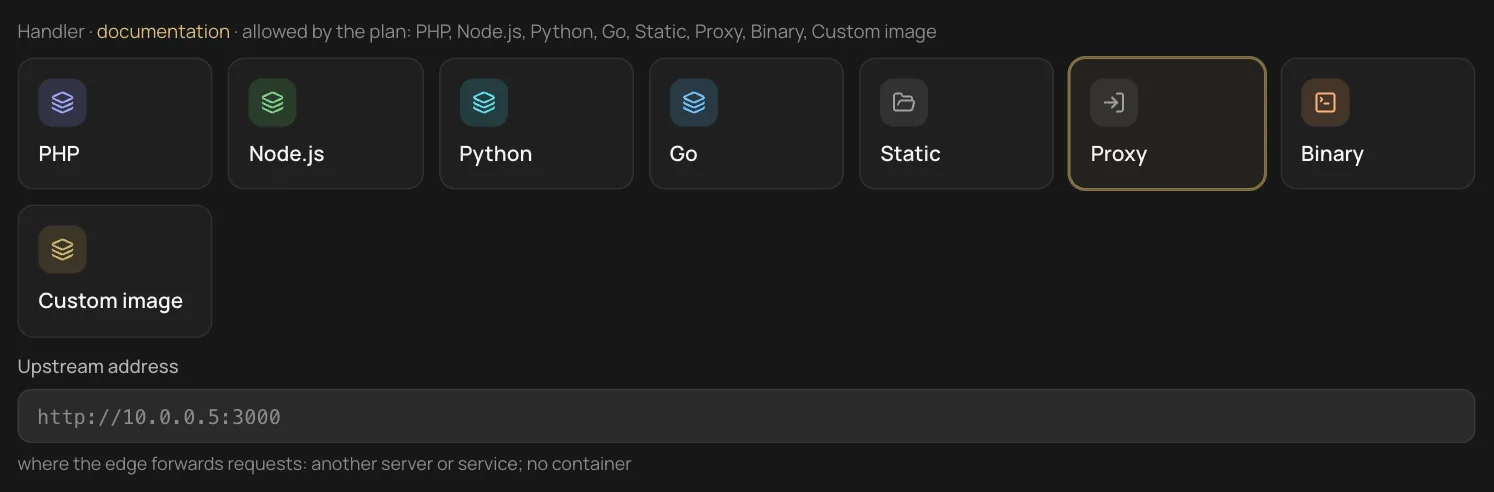
- Format —
host:portorscheme://host:port:203.0.113.10:3000,http://203.0.113.10:3000,https://app.example.com. Without a scheme,httpis assumed. - Schemes —
http,httpsandh2c(HTTP/2 without TLS, for example for gRPC). - No path, parameters, login or password. The panel's proxy does not accept an address like
https://api.example.com/v1, and the project goes into the error state.
You can change the address at any time in the "Handler" block → "Edit"; the panel's proxy picks it up within a minute.
2. Which addresses are allowed
- Allowed: public addresses and names, as well as private networks (
10.x,172.16–31.x,192.168.x,100.64.x) — if the node is on the same network with them. Ask support whether your node has such a network. - Not allowed: the node itself (
localhost,127.0.0.1,::1),169.254.xaddresses, names ending in.local,.internal,.lan,.localhost,.home.arpa,.localdomain, and the node's internal container networks (10.200.0.0/16,10.201.0.0/24,10.201.1.0/24) — other projects cannot be reached this way. A name that points to such an address does not pass either.
The panel rejects a forbidden address right when you save. The panel does not check whether a server responds at an allowed address: the project will be in the "running" state even if the upstream is unreachable.
3. The Host header and HTTPS to the server
http://andh2c://— the server gets the visitor'sHostheader, that is, your domain. Set up the site on it for exactly this domain. Turn off the HTTP-to-HTTPS redirect on the server: "HTTPS only" already does it, and the visitor's scheme is visible inX-Forwarded-Proto.https://— the panel's proxy encrypts the connection to the server, andHostbecomes the name from the upstream address (forhttps://app.example.comit isapp.example.com); your domain is inX-Forwarded-Host. The server's certificate must be valid for this name: a self-signed one does not pass.
4. Protect your server
Visitors reach the server through the panel's proxy, so only the node should connect to it directly. In the server's firewall, allow incoming connections to the application port only from the node's address (usually it is the "IP for the A record" from the "Domain and TLS" block; if you are not sure, ask support). Trust the X-Forwarded-* headers only from this address.
5. If something goes wrong
- The site returns 502. The panel's proxy cannot connect to the server: a wrong port, the server listens only on
127.0.0.1, the firewall does not let the node in, or the private address is unreachable from the node. Forhttps://— also an invalid server certificate. - "the address points at the node itself or its link" or "… the node's own container networks" on saving. The address is forbidden — see section 2.
- The project is in the error state with "URLs for proxy upstreams only support scheme, host, and port components". The address has a path: keep only the scheme, host and port.
- The server returns someone else's site or 404. It is not set up for the domain from
Host— see section 3. - An endless redirect. The server redirects to HTTPS the requests that reach it via
http://. Turn off the redirect on the server or set anhttps://address. - The site shows a "Проект остановлен" (Project stopped) page with code 503. The project is stopped — click "Start".