

Nuxt
1. Project
- Create a project with the Node.js handler (version stable).
- Build command:
cd src && npm ci --include=dev && npm run build - Start command:
node src/.output/server/index.mjs— the built Nitro server; it takes the port fromPORT.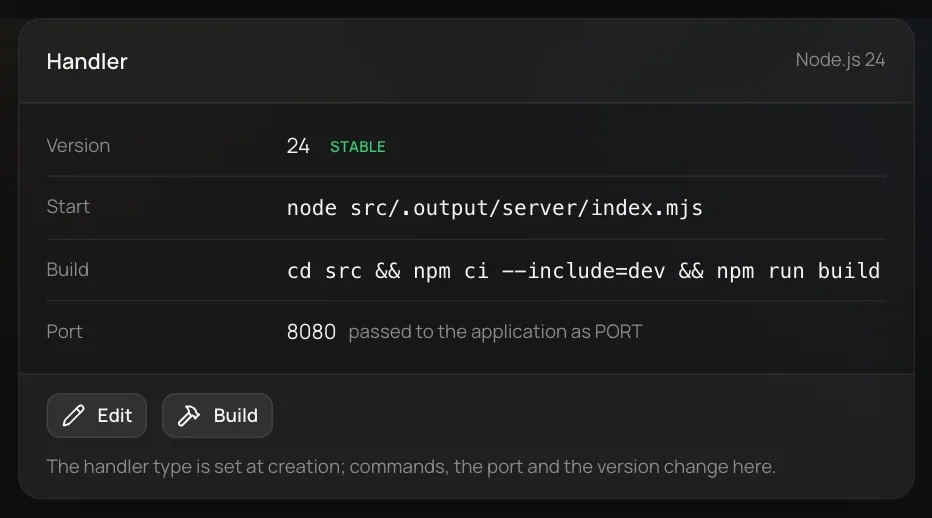
The build and start commands in the "Handler" block. - Connect the repository in the Git deploy block with the
srcdirectory and click "Deploy".
2. Settings
runtimeConfigis overridden by the environment variablesNUXT_API_SECRET,NUXT_PUBLIC_API_BASEand so on from the "Environment variables" block, without a rebuild.- Nuxt has many dependencies: the npm cache takes several hundred megabytes of the plan's disk.
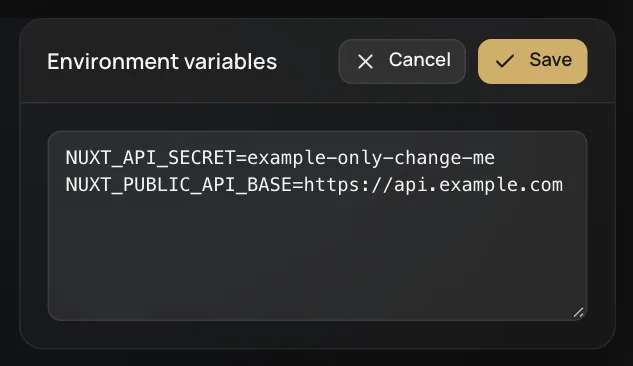
runtimeConfig via NUXT_* variables; the values here are examples.3. A static site instead of a server
If the site does not need SSR, npx nuxi generate creates ready files in .output/public — they can be served by the "Static" handler.
4. If something goes wrong
- "Cannot find module … .output/server/index.mjs". The build did not run or failed — see the deploy output.
- "ENOSPC". The plan's disk is full — clear the npm cache (
npm cache clean --force).