

Go project
What is inside the container
- Go of the chosen branch with a C compiler (cgo works),
gitandcurl. - The caches for modules and builds are in the project (
.go,.cache/go-build): the first build downloads the dependencies and compiles everything — up to a minute or two; the following builds are fast. The caches take space on the plan's disk (about 180 MB of modules for Fiber). - Your process is the built binary; the supervisor restarts it if it exits. The port is in the
PORTvariable.
1. Create a project
In the wizard (how to create a project), choose the Go tile and the version, and fill in:
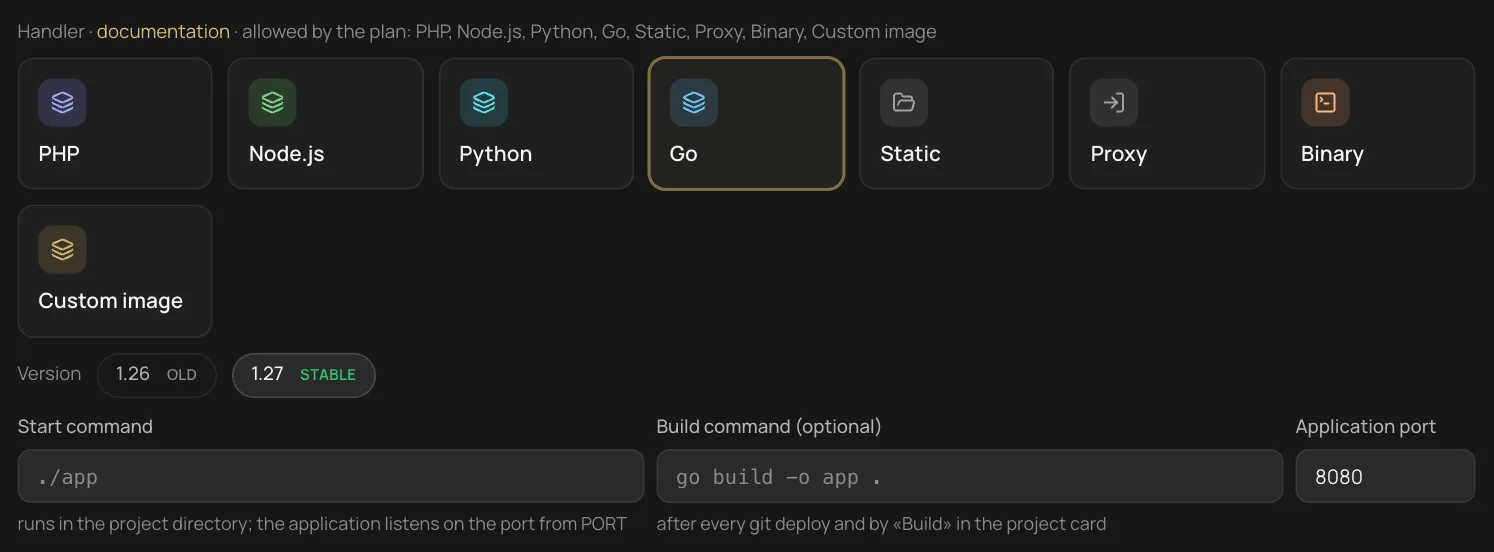
- Build command:
cd src && go build -trimpath -ldflags "-s -w" -o ../app .— theappbinary appears in the project root. - Start command:
./app. - Application port —
8080; the application listens on":" + os.Getenv("PORT").
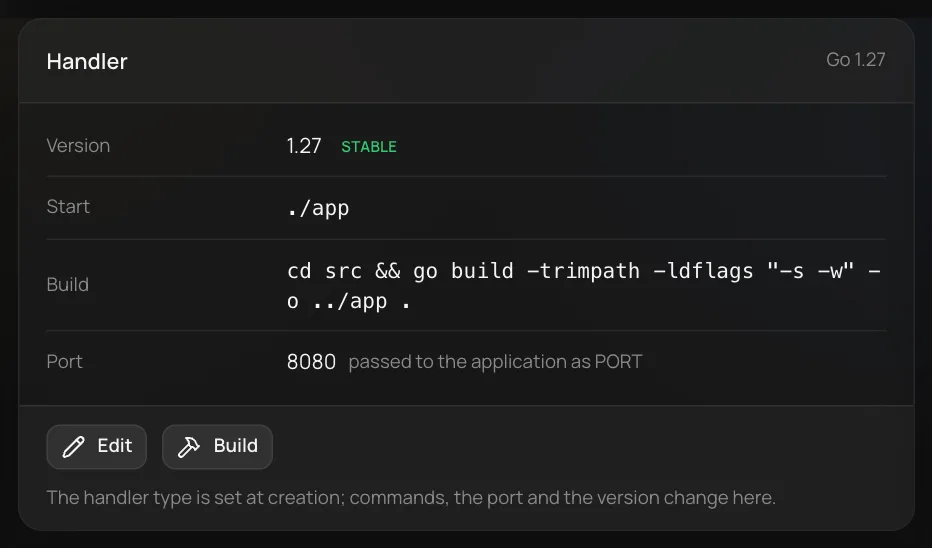
2. Step by step
- The repository with
go.modgoes to thesrcdirectory (Git deploy). - Settings go in the "Environment variables" block.
- The "Deploy" button: fetch the branch, build, restart. If the build takes over a minute, the panel responds earlier and the deploy continues on the node — progress is shown in the "Deploy" line, and the outcome in the log.
3. Behind the proxy
The request reaches the application over HTTP with the X-Forwarded-Proto, X-Forwarded-Host and X-Forwarded-For headers from the panel's proxy on a private network. Trust these headers only from private addresses — the Fiber recipe shows how to do that.
4. Memory
A Go build uses more memory than the finished server. On small plans the node raises the limit for the duration of the build (up to 1 GB by default); if the build still gets cut off, limit the parallelism: GOFLAGS=-buildvcs=false -p=1 in the "Environment variables" block (the first flag is already set in the image — do not lose it).
5. A ready binary
You can build on your computer or in CI and upload the ready file — the "Binary" handler, with no compiler in the container:
CGO_ENABLED=0 GOOS=linux GOARCH=amd64 go build -trimpath -ldflags "-s -w" -o app .Upload app to the project root, make it executable (the "Files" tab, permissions 755); the start command is ./app.
6. If something goes wrong
- 502. The application listens on
localhost:…instead of:$PORT. The cause is in "Logs". - "no required module provides package". The dependency is not recorded in
go.mod/go.sum: rungo mod tidylocally and commit both files. - The binary reports "Permission denied". The file uploaded by hand was not made executable.