

Binary
What is inside the container
- Debian 12 (bookworm, slim) with
bash,curl,tarand CA certificates. There is no Go, Node.js, Python,git,unzipor compilers. - Your process: the supervisor runs the start command via
/bin/sh -cin the project root and restarts it if it exits. The port is in thePORTvariable (8080by default); the domain and HTTPS are handled by the panel's proxy. - User. Everything runs as the project user (
ewp), without root; the home and working directory is the project root (/app). - Data. Only the project directory survives restarts: that is where the SQLite database, uploaded files and logs must live.
/tmpis temporary, in memory, and programs cannot be run from it.
1. Create a project
In the wizard (how to create a project), choose the Binary tile and fill in the fields:
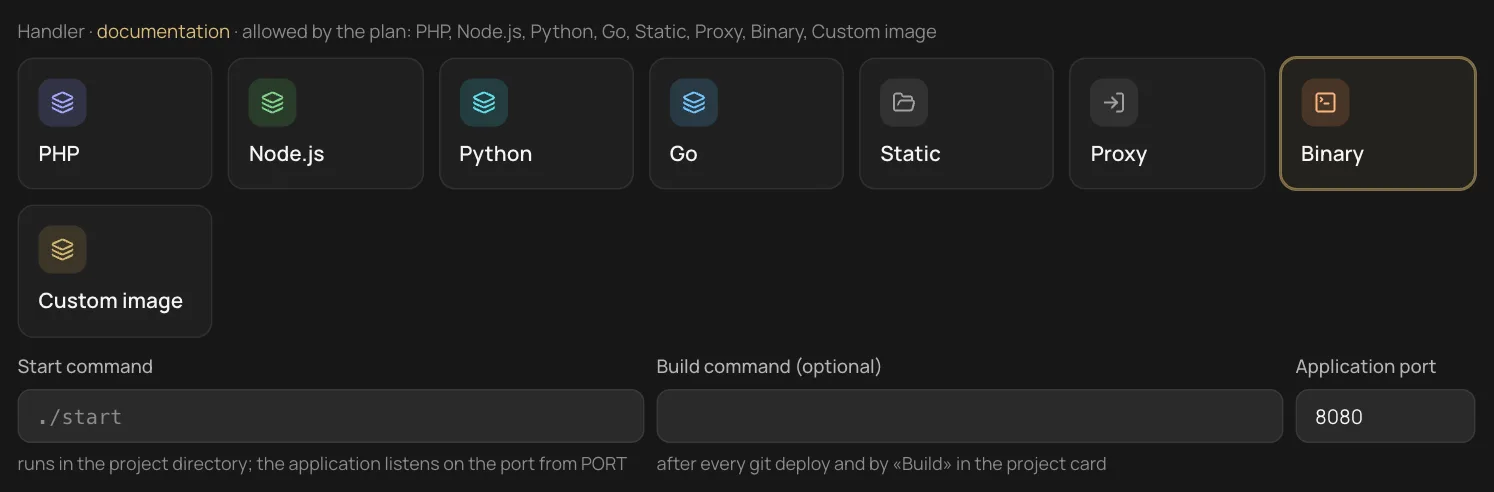
- Start command — runs in the project root, for example
./appor./server --listen 0.0.0.0:$PORT: environment variables in the command are expanded. - Build command (optional) — runs in the container after every Git deploy and with the "Build" button. There is nothing to compile with, but it can download and unpack a ready release (section 3).
- Application port — leave
8080: the program must listen on the port from thePORTvariable on all interfaces (0.0.0.0).
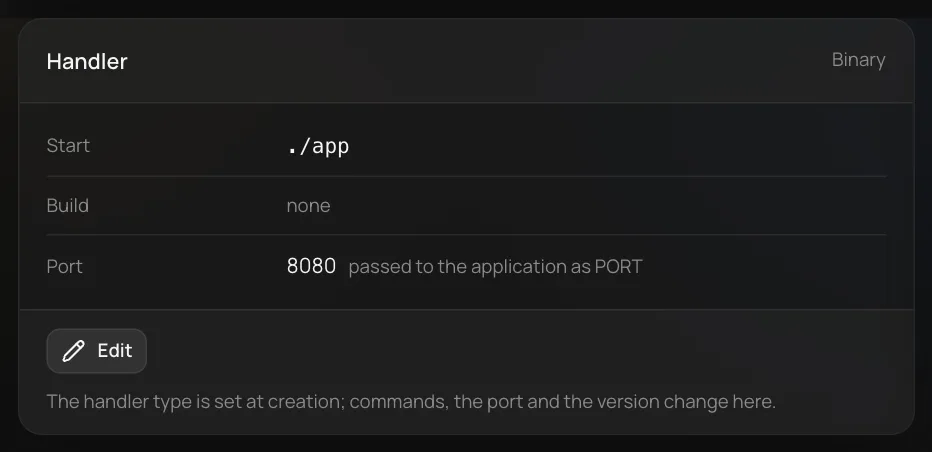
app binary is in the project root.2. Build the binary
Build for Linux and the server's architecture — usually amd64 (x86-64); the uname -m command in the "Terminal" shows the exact one. The most reliable option is a static binary: it does not depend on the container's libraries.
# Go
CGO_ENABLED=0 GOOS=linux GOARCH=amd64 go build -trimpath -ldflags "-s -w" -o app .

# Rust (static, with musl)
rustup target add x86_64-unknown-linux-musl
cargo build --release --target x86_64-unknown-linux-musl
# the ready file: target/x86_64-unknown-linux-musl/release/<name>
A dynamically built program will run too, if the Debian 12 libraries (glibc 2.36) are enough for it.
3. Deliver the file
- SFTP or the "Files" tab — upload the binary to the project root and make it executable: permissions
755in "Files",chmod 755 appvia SFTP. More on the ways to do it — in the general guide. - A release from GitHub or another site — the build command can download it, and the "Build" button downloads it again:
curl -fsSL https://github.com/org/app/releases/download/v1.2.0/app_linux_amd64.tar.gz | tar -xzf - && chmod 755 app.ziparchives cannot be unpacked this way — there is nounzipin the container. - Git deploy — if the binary is in the repository. After the deploy the build command runs, and the project restarts.
A new file takes effect after a restart: the "Restart" button in the project header.
4. Variables, background processes, cron, ports
- Environment variables — in the "Environment variables" block: the program, the build command and the cron jobs get them. After a change, the project restarts.
- Background processes — in the "Processes and cron" block: a second service, a worker, a bot. The supervisor keeps them running, like the main process.
- Cron — a command on a schedule, run in the project root, time in UTC:
0 3 * * * ./app cleanup. - Ports — a non-HTTP service (a game server, a TCP or UDP protocol) is published in the "Ports" block: the node gives the external number, the program listens on the target port.
5. Behind the proxy
The panel's proxy terminates TLS, and the request reaches the program over HTTP with the X-Forwarded-Proto, X-Forwarded-Host, X-Forwarded-For and X-Real-IP headers. To see the visitor's address and the https scheme, trust these headers from private addresses — the Fiber recipe shows how to do it in Go.
6. If something goes wrong
- "Permission denied" in "Logs". The file is not executable — set
755. - "Exec format error". The binary is built for another OS or architecture: you need Linux and the architecture from
uname -m. - "GLIBC_2.38 not found" or "No such file or directory" for a file that exists. The program is built dynamically for a newer system or for musl (Alpine). Build it statically.
- "Text file busy" during upload. A file that is running right now cannot be overwritten. Upload the new one under another name and rename it over the old one, or stop the project first.
- The site returns 502. The program is not running, or it listens on the wrong port or on
localhost. The cause is in "Logs". - The process is not restarted. If the program exits right after starting several times in a row, the supervisor stops starting it. Fix the cause (it is shown in "Logs") and click "Restart".
- Data disappeared after a restart. The program wrote outside the project directory, for example to
/tmp. Give it a path inside the project.