

PHP project
What is inside the container
- PHP-FPM of the chosen version (available now: 8.4, 8.5, 8.6-rc) and the Caddy web server, which serves files from the document root and passes
.phpto FPM. SEO-friendly URLs work out of the box: a request for a file that does not exist goes toindex.php, as with the.htaccessof a typical framework. The.htaccessitself is not read — see your own directives. - Extensions: bcmath, gd, intl, mbstring, mysqli, pdo_mysql, pdo_pgsql, zip, opcache, soap, exif, redis, imagick, xsl, sockets.
- Tools:
composer,git,unzip,curl— on the "Terminal" tab. - PHP settings:
memory_limitis half of the plan's memory (from 64 to 1024 MB),upload_max_filesizeandpost_max_sizeare 64 MB,max_execution_timeis 120 s, the time zone is UTC, OPcache is on (file changes are picked up within 2 s). The number of FPM processes is set according to the plan's memory. - User. Everything runs as the project user, without root: the files you upload are writable by the application, no separate permission setup is needed.
- Cron and background processes — in the "Processes and cron" block; commands run in the container, the current directory is the project directory.
1. Create a project
In the wizard (how to create a project), choose the PHP tile and the version, and fill in the settings:
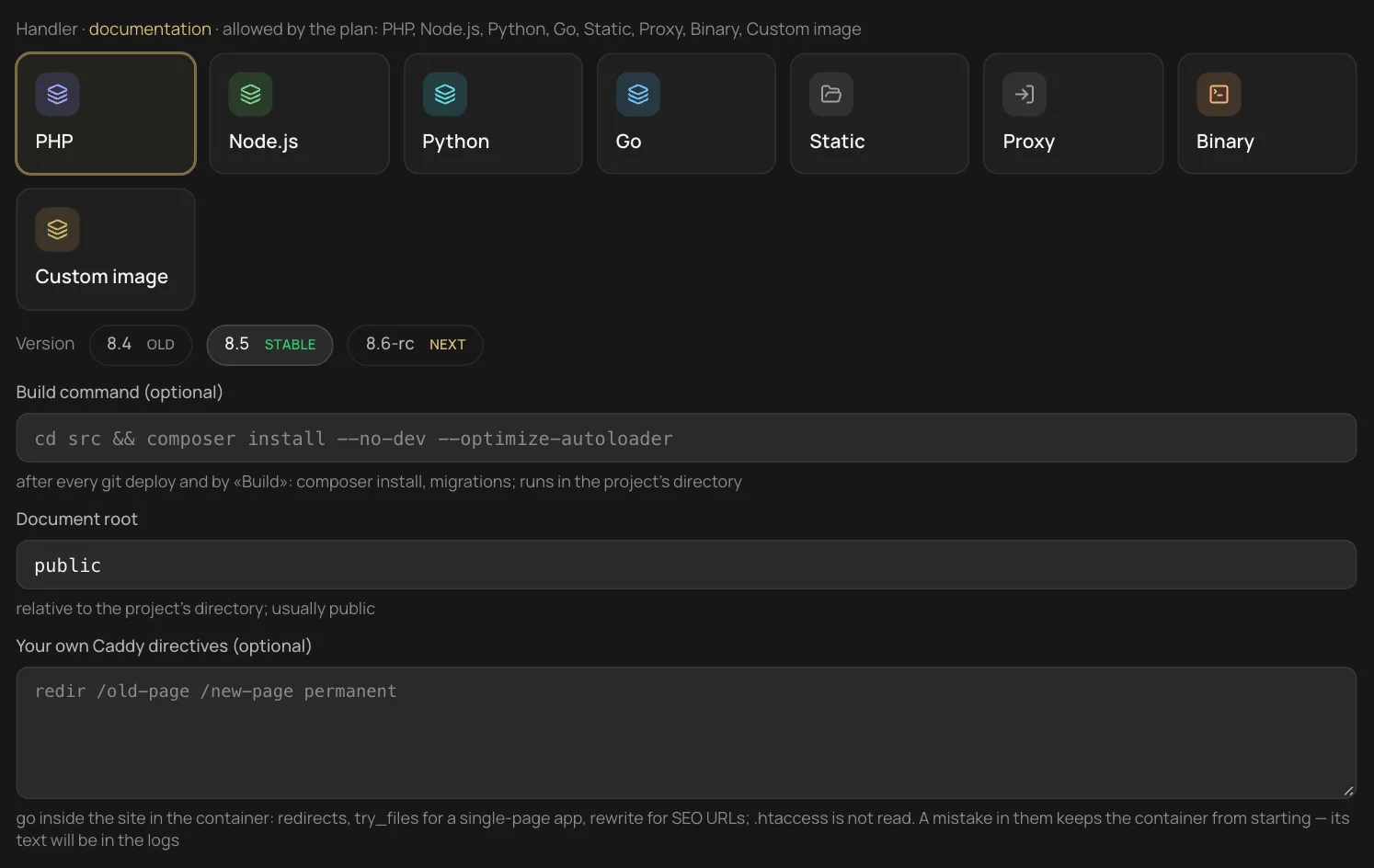
- Version. stable is the current one, old the previous one, next the upcoming one (RC). You can change it later in the "Handler" block.
- Document root — the folder with
index.php, relative to the project root. For frameworks it ispublic; if the repository arrives via Git deploy insrc, it issrc/public. - Build command (optional) — runs after every Git deploy and with the "Build" button: this is where
composer installand migrations usually go. - Your own Caddy directives — redirects and URL rewrite rules, if you need them.
2. Your own project, step by step
- Deliver the code. Git deploy to the
srcdirectory (the document root issrc/publicorsrc, depending on the structure) or an SFTP upload topublic. The ways are described in the general guide. - Composer dependencies. If
vendoris not in the repository, run in the "Terminal":
To run the command automatically after every deploy, put it into the handler's Build command field.cd src composer install --no-dev --optimize-autoloader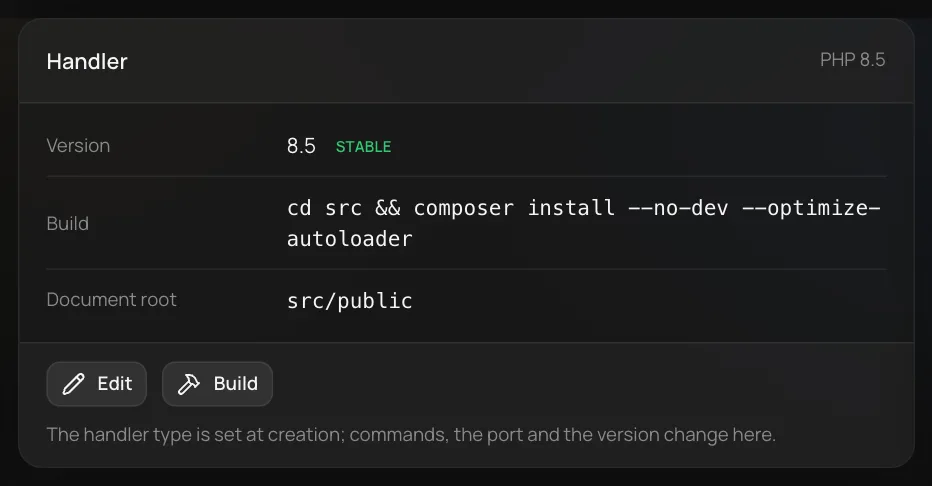
The "Handler" block: Composer in the build command, the document root src/public. - Configuration. Secrets and addresses go into the "Environment variables" block (the application reads them via
getenv()or$_ENV) or into a.envfile via "Files": it is not part of the repository and survives deploys. - Database. Create a database: "Databases" → "A database for this project"; the host, port, name, user and password are in the database card. Connect to the host and port from the card, not to
localhost. - Domain. The A record and HTTPS. The panel's proxy terminates TLS, but PHP sees the secure connection as usual (
$_SERVER['HTTPS'],REQUEST_SCHEME,SERVER_PORT): absolute URLs are built withhttps://without trusting the proxy. The visitor's address is in theX-Forwarded-ForandX-Real-IPheaders;REMOTE_ADDRis the proxy's address. - Check. Click "Open" in the project header. If you see a 500 error, look at the "Logs" tab: PHP and web server errors go there.
3. Your own Caddy directives instead of .htaccess
The Your own Caddy directives field (the wizard or the "Handler" block) is inserted inside the site configuration in the container. Typical rules:
# permanent redirect
redir /old /new permanent

# all non-existent addresses → index.php with a parameter (RewriteRule style from .htaccess)
@app {
	not file
	path_regexp p ^/(.+)$
}
rewrite @app /index.php?q={re.p.1}&{query}

# close the service folders
@private path /storage/* /vendor/*
respond @private 404
Even without directives, requests for non-existent addresses already go to index.php (the application gets the path in $_SERVER['REQUEST_URI']) — that is enough for Laravel, Symfony and WordPress.
An error in the directives stops the container. The error text is in "Logs"; fix the field and save.
4. Cron, queues, mail
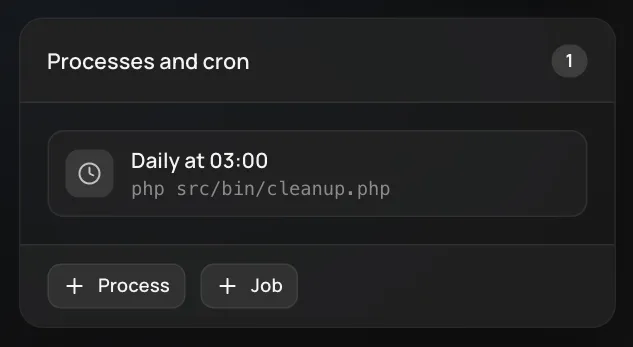
- Cron. The "Processes and cron" block → a job with a schedule and a command, for example
0 3 * * * php src/bin/cleanup.php. The job's output goes to "Logs". - Background processes. In the same place — a process that the panel keeps running and restarts after it exits: a queue worker, a bot.
- Mail. There is no mail server in the container: send email via your provider's SMTP, with the settings in the environment variables.
5. If something goes wrong
- 500 or a blank page. The "Logs" tab shows a PHP error with the file and line. Most often: no
vendor(runcomposer install), no.envor application key, a wrong document root. - 404 on every page except the home page. The document root points to a folder without
index.php, or the application needs other URL rewrite rules — see above. - Uploads over 64 MB fail. This is the PHP limit in the container; split the file into parts or upload it via SFTP.
- Composer runs out of memory. In the console
memory_limitis the same — half of the plan's memory. RunCOMPOSER_MEMORY_LIMIT=-1 composer install; if that does not help, upgrade the plan temporarily. - A file was changed, but the site shows the old version. OPcache checks files every 2 s; if the application caches data itself (configuration, templates), clear the cache with its own commands.
- The application builds URLs with http:// instead of https://. Its settings have the base URL written with
http://(APP_URL,WP_HOME,HTTP_SERVERand so on). PHP already sees HTTPS; proxy headers are not needed for that.