

Node.js project
What is inside the container
- Node.js of the chosen branch with
npm, plusgit,curl,python3,makeandg++— for packages with native modules. - Your process: the supervisor starts it with the start command and restarts it if it exits. The panel passes the port in the
PORTvariable (8080by default); the domain and HTTPS are handled by the panel's proxy. NODE_ENV=productionis already set. Because of that,npm ciwithout a flag skipsdevDependencies— and that is usually where the build tools (TypeScript, Vite, Tailwind) are, so the build command needsnpm ci --include=dev.- The npm cache is in the project,
.cache/npm: repeated builds are faster, but the cache takes space on the plan's disk (hundreds of megabytes in large projects). To free the space, runnpm cache clean --forcein the "Terminal". - User. Everything runs as the project user (
ewp), without root; the home directory is the project root.
1. Create a project
In the wizard (how to create a project), choose the Node.js tile and the version, and fill in the fields:
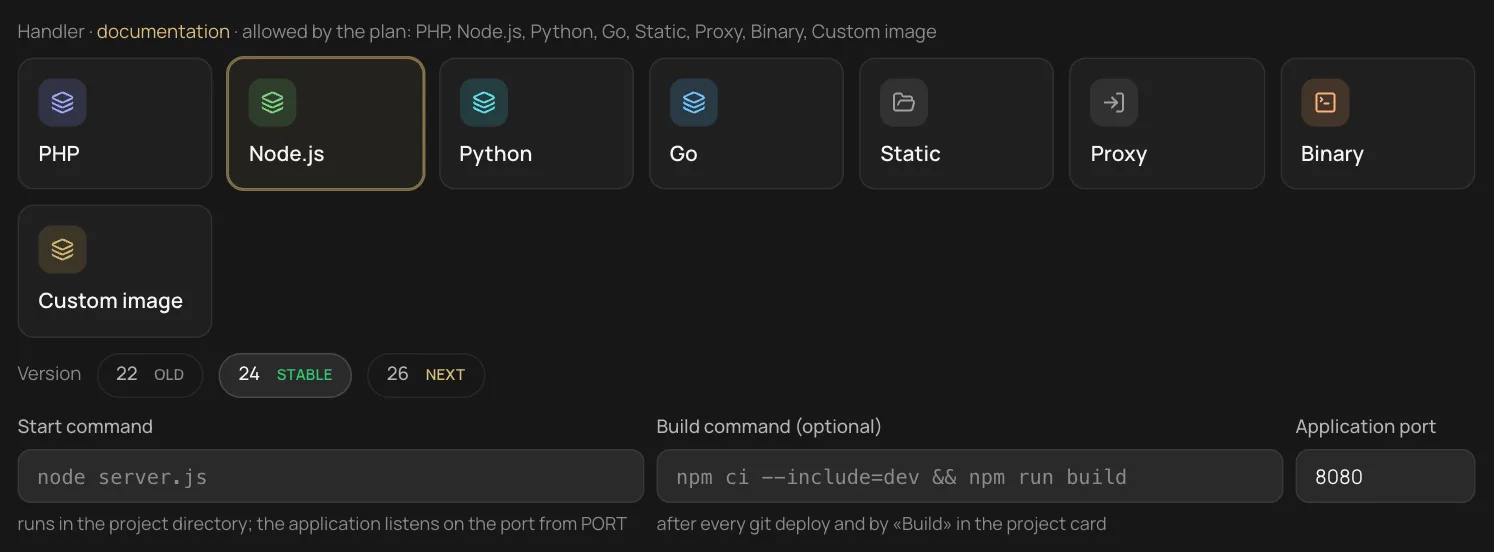
- Version. stable is the current LTS, old the previous one, next the upcoming one. You can change it later in the "Handler" block.
- Start command — runs in the project root, for example
node server.js, orcd src && npm startif the repository is insrc. - Build command (optional) — runs after every Git deploy and with the "Build" button:
cd src && npm ci --include=dev && npm run build. - Application port — leave
8080: the application must listen on the port from thePORTvariable.
All of this can be changed later in the "Handler" block on the "Manage" tab; the "Build" button is there too.
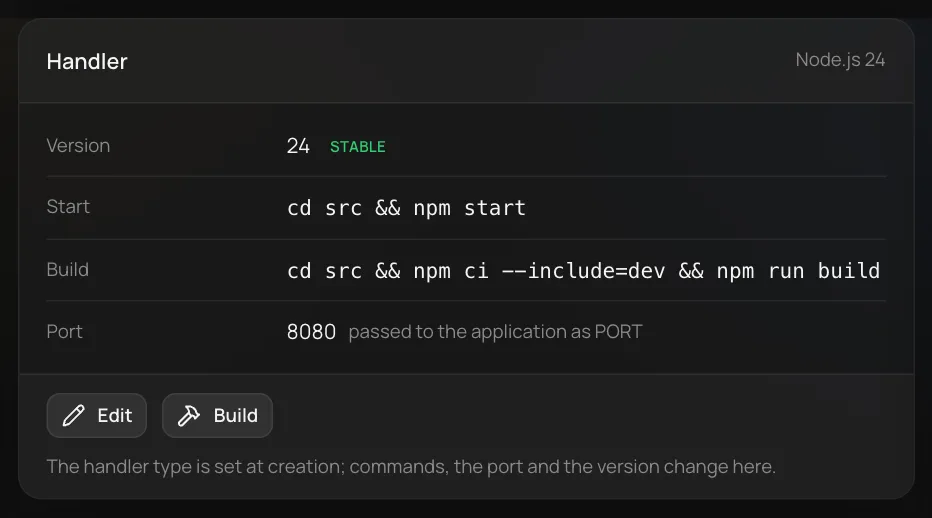
src, build and start from there.2. Step by step
- Code. Git deploy to the
srcdirectory or an upload via SFTP (the ways). Do not put thenode_modulesdirectory into the repository — the build command creates it. - Port and address. The application must listen on
process.env.PORTon all interfaces:0.0.0.0, notlocalhost. Otherwise the panel's proxy cannot reach it. - Settings. Secrets and addresses go into the "Environment variables" block; they are available both during the build and at run time. After a change, the project restarts.
- Deploy. The "Deploy" button fetches the branch, builds and restarts the application. Progress and the result are shown in the "Deploy" line, the full log is
logs/build.log. - Check. Click "Open" in the project header. Your process's output is on the "Logs" tab.
3. Memory during the build
The build runs in the same container as the application. On small plans the node raises the memory limit for the duration of the build (up to 1 GB by default), and builds on such plans queue up — the "Deploy" line shows "waiting for a build slot". If the node has no free memory, the build runs within the plan's memory, and the output warns about it. Heavy build tools (Next.js on Turbopack, large Vite projects) may not fit on a 512 MB plan — then limit the Node.js heap or choose a more powerful plan:
NODE_OPTIONS=--max-old-space-size=384 npx next build --webpack4. Behind the proxy
The panel's proxy terminates TLS, and the request reaches the application over HTTP with the X-Forwarded-Proto, X-Forwarded-Host and X-Forwarded-For headers. Next.js and Nuxt take them into account by themselves; in Express turn on app.set("trust proxy", true) — then req.protocol is https, and req.ip is the visitor's address.
5. Background processes and cron
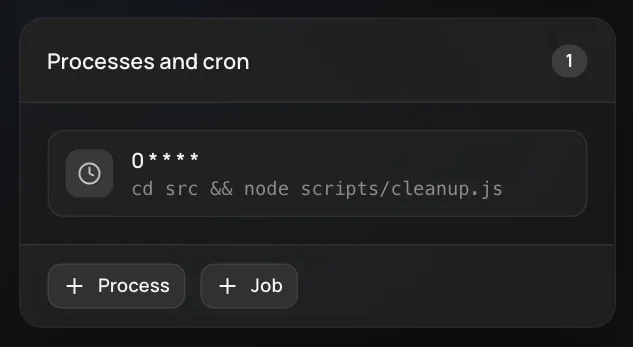
- Background processes — in the "Processes and cron" block: a queue worker, a bot, a second service. The panel keeps them running, like the main process.
- Cron — a command on a schedule, for example
0 * * * * cd src && node scripts/cleanup.js. The output goes to "Logs".
A Telegram bot on grammY or Telegraf runs as the main or a background process; about long polling, the webhook and the token — on the "Telegram bot hosting" page.
6. If something goes wrong
- The site returns 502. The application is not running, or it listens on the wrong port or on
localhost. Look at "Logs": the startup error will be there. - "Cannot find module" or "command not found" during the build. The dependency is in
devDependencies, andnpm ciwas run without--include=dev. - The build was cut off with code 137 or the message "Killed". The build tool ran out of memory — see section 3.
- "ENOSPC" during installation. The plan's disk is full: clear the npm cache (
npm cache clean --force) and old builds, or upgrade the plan. - The project keeps restarting. The process exits right after starting — most often an environment variable or a build file is missing. The cause is in "Logs".